

Legal entity
Overview
The registration process begins at Xpollens as soon as the KYB has been verified by our KYB provider.
Sequence diagram
sequenceDiagram
autoNumber
Actor Merchant
Participant Partner
Participant XPO
Participant KYB Provider

Note over Merchant, KYB Provider: Onboarding start
Merchant ->> Partner: Start onboarding
Partner ->> XPO: POST v4.0/portal-link
XPO ->> KYB Provider: new onboarding
KYB Provider ->> XPO : URL
XPO ->> Partner: url
Partner ->> Merchant: redirection

Note over Merchant, KYB Provider: KYB process
Merchant ->> KYB Provider: KYB

Note over Merchant, KYB Provider: Legal entity + contributors creations
KYB Provider ->> XPO : legal entity creation
XPO ->> Partner: webhook 43 (legal entity)
XPO ->> Partner: webhook 45 (account)
XPO ->> Partner: webhook 46 (KYB)

loop For each contributor
	XPO ->> Partner: webhook UserCreatedOrUpdated
	XPO ->> Partner: webhook 4 (kyc demand)
end
The legal entity Id is defined though appUserId during the request POST portal link .
As long as the KYB is not fully completed, the legal entity is not created on Xpollens’ side. Progress tracking is handled by Xpollens in the KYB provider portal.
KYB review
During the KYB process, if any information requires review, a PortalLinkCreatedOrUpdated webhook is triggered.
This callback includes a URL in the portalLink field. By using this URL, the end user is directly redirected to a page showing what needs to be reviewed.
sequenceDiagram
autoNumber
Actor Merchant
Participant Partner
Participant XPO
Participant KYB Provider

Note over Merchant, KYB Provider: review needed
KYB Provider ->> XPO : URL
XPO ->> Partner: webhook PortalLinkCreatedOrUpdated {portalLink}
Partner ->> Merchant: notification & redirection
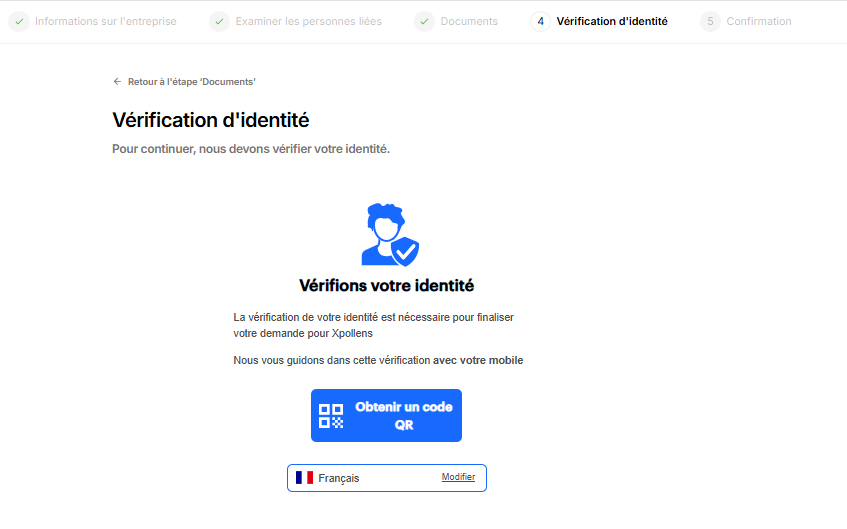
UI example
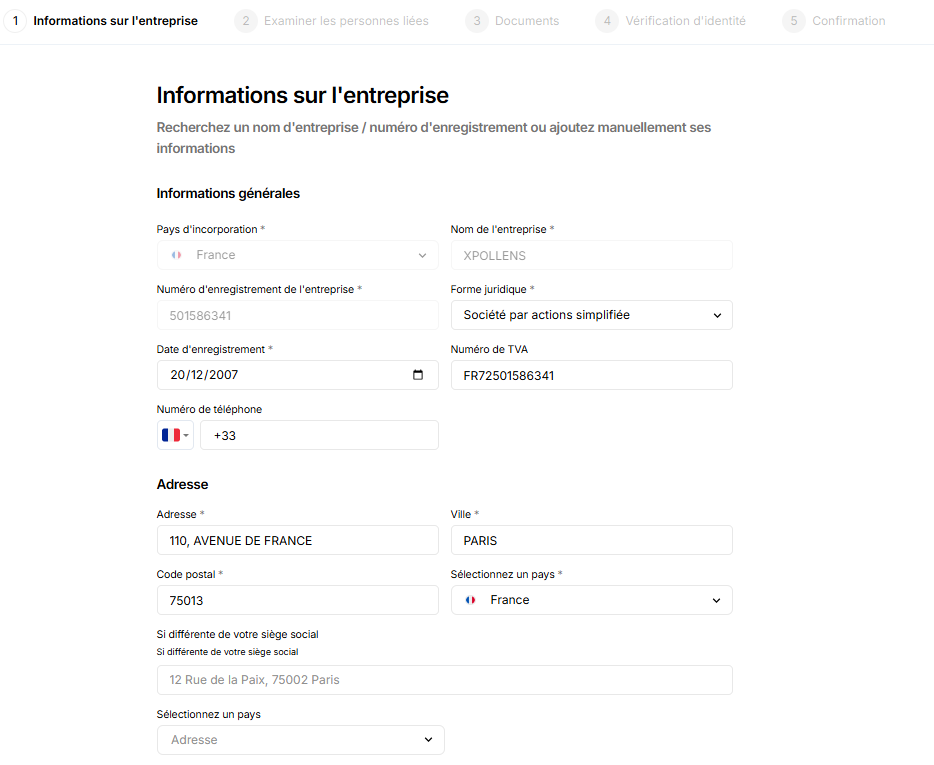
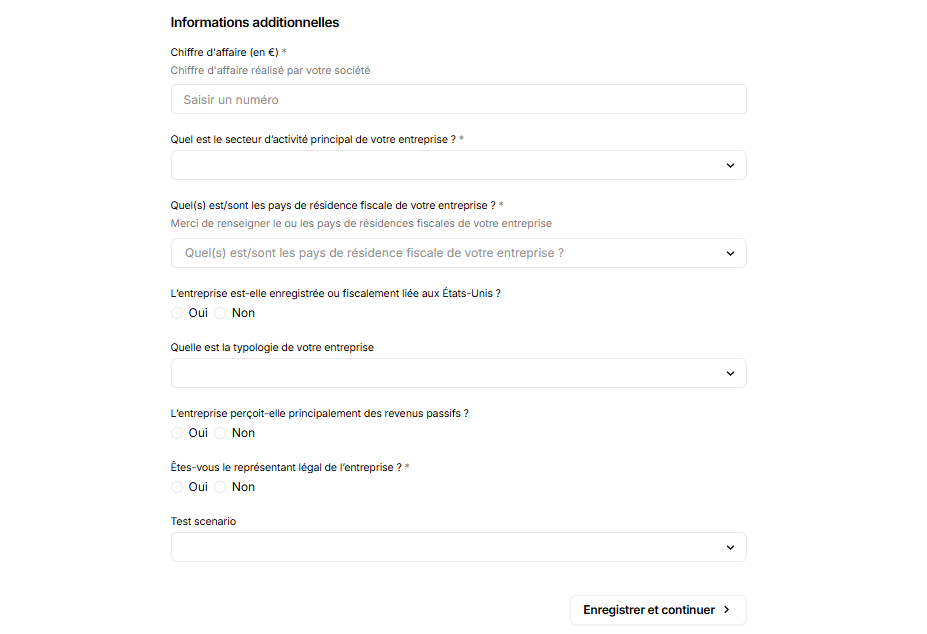
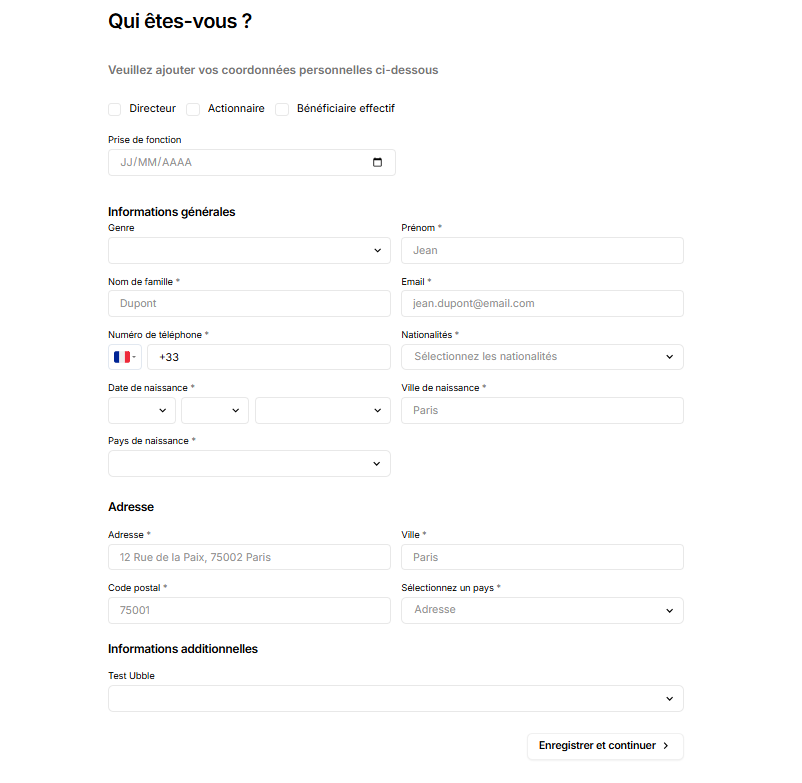
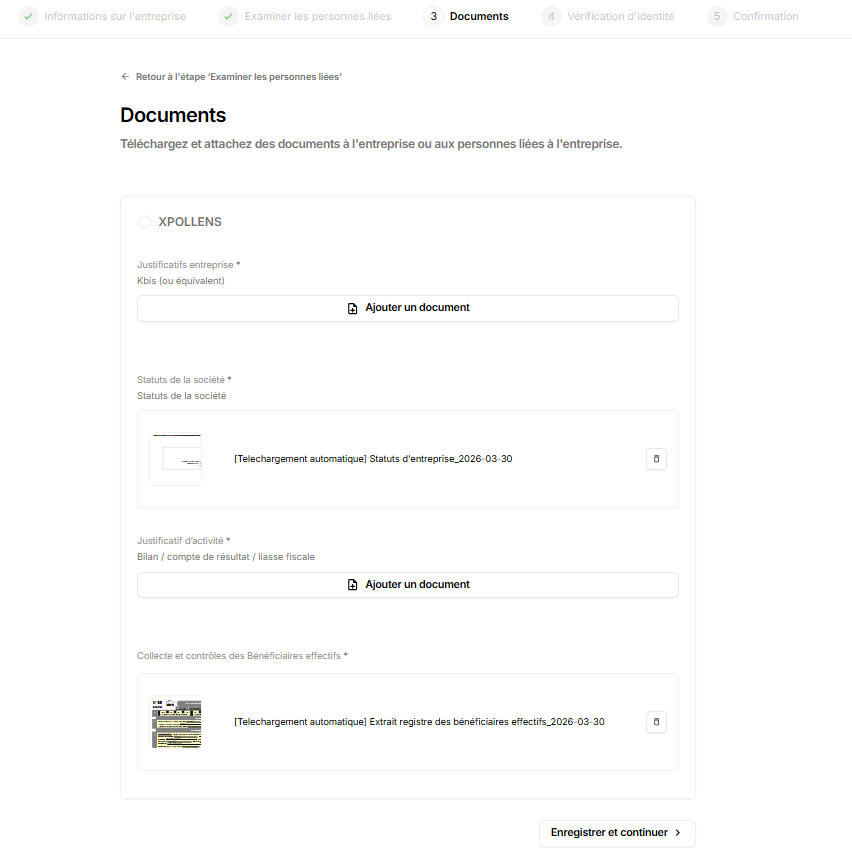
The KYB provider provides a web page where all information must be entered, including both company details and information about the individuals associated with the company.
Depending on the country, certain data will be automatically populated based on government or professional registries. Thus, end users will only need to verify the accuracy of the information and fill in any missing or required details.
Rules
In a sandbox environment, the same company can be created multiple times. This is not the case in production.
How to test
The tests are run on the same route as the production run. This means you can use real-world data to test the route.
FAQ
Access to Ondorse webdesk
The Ondorse back office is available to you upon request but must not under any circumstances be made available to your customers.
Updated about 1 month ago