

ApplePay - In-app provisioning
In-app provisioning: Enrollment from partner app
This flow is also known as In-App Provisionning or Push Provisionning.
User journey
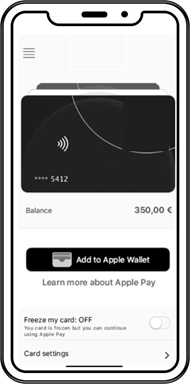
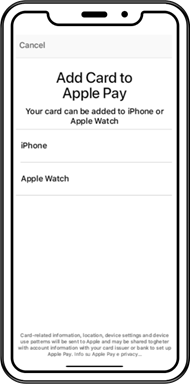
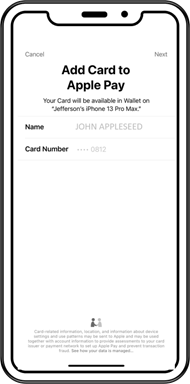
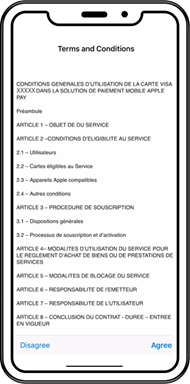
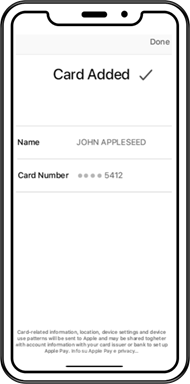
This flow starts from the partner app. The cardholder clicks on a button and no further interaction is needed from them. Xpollens recommends you implement this method for partners ordering virtual cards.
|  |
|---|---|
|  |
|  |
|  |
|  |
Sequence diagram
sequenceDiagram
autonumber
    Actor Enduser
    Participant Partner(iOS App)
    participant Mobile SDK
    participant Xpollens
    participant Xpay
    participant Partner(backend)

    Enduser ->> Partner(iOS App): Click on "Add to Apple Wallet"
    Partner(iOS App) ->> Mobile SDK: SDK - provisioning
    Mobile SDK ->> Xpollens: in-app provisionning <br/>  Xpollens IOS In-App Provisioning SDK
    Xpay ->> Xpollens: Provisionning <br/> (does not impact end-user balances)
    Xpollens ->> Partner(back-end):Webhook Type 25 (status Active)
Get all tokens by card
This endpoint retrieves the list of tokens for a specific card.
It must be requested in Flow 2 (enrollment from partner app), see sequence diagram above, message number 5.
GET /api/v2.0/token/card/{cardExternalRef}
Response Body:
[
    {
        "tokenValue": "4642353030722754",
        "tokenReferenceId": "DNITHE382003555876588856",
        "tokenRequestorId": "40010030273",
        "tokenExpiryDate": "11-2023",
        "tokenState": "ACTIVATED",
        "tokenType": "SECURE_ELEMENT",
        "tokenDeactivationDate": null,
        "tokenUpdateDate": "2020-12-28T16:54:50.6544932",
        "deviceInformation": {
            "secureElementId": null,
            "deviceType": null,
            "deviceNumber": null
        }
    },
    {
        "tokenValue": "4642353030898951",
        "tokenReferenceId": "DNITHE382003555876588857",
        "tokenRequestorId": "40010030273",
        "tokenExpiryDate": "10-2023",
        "tokenState": "INACTIVE",
        "tokenType": "SECURE_ELEMENT",
        "tokenDeactivationDate": null,
        "tokenUpdateDate": "2020-12-28T16:56:46.0778228",
        "deviceInformation": {
            "secureElementId": null,
            "deviceType": null,
            "deviceNumber": null
        }
    }
]
Partners should check the response body: for "tokenState": "ACTIVATED".
Then filter out only tokens having "tokenType": "SECURE_ELEMENT" (Apple Pay) or "tokenType": "HCE" (Samsung Wallet, Google Wallet)
Partners should display the push provisionning button (see below) only if there are no active X-Pay token associated with the card.
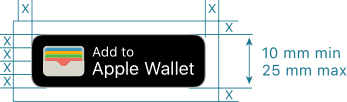
More information regarding this endpoint in the 🔗 API reference
Updated 24 days ago